AI Safety Workbench
Fineuralab
Use AI without leaking data, trusting bad answers, or losing context.
Protect input before sharing, review output before acting, and preserve context before continuing. Fineuralab turns these recurring AI-use risks into local-first browser tools.
Concrete value
Not a longer prompt. A safer handoff.
Many AI-use problems are not about model intelligence. The input mixes privacy risks, missing context, hidden assumptions, and advice that cannot be acted on. Fineuralab makes those issues visible before you copy or execute.
Context: production issue Contact: [email protected] Authorization: Bearer demoPayload.demoSignature Error: /tools/ sometimes loads stale cache after deploy.
Context: production issue Contact: [EMAIL] Authorization: [TOKEN] Error: /tools/ sometimes loads stale cache after deploy. Ask AI to diagnose cache, hosting, and rollback steps.
- Keep reproducible details
- Remove identifiers and credentials
- Generate a reviewable prompt
Personal value
These tools are not built from keyword lists
Fineuralab is closer to an operating system I keep refining for my own AI work: notice the failure that keeps repeating, then turn it into a local check, template, or decision surface.
A page earns its place when it helps a user avoid a leak, reject a weak answer, preserve context, or make a clearer decision, not because it covers another search phrase.
The related tools check secrets, emails, private URLs, customer details, and log fragments before producing a safer version.
02 Failure: treating fluency as reliabilityAnswer review tools surface missing evidence, missing boundaries, overpromises, AI-sounding filler, and advice that cannot be acted on.
03 Failure: long chats losing the threadContinuation tools turn goals, completed work, preferences, blockers, files, and next steps into a handoff instead of a transcript dump.
04 Failure: too many suggestions, no decisionDecision Lab breaks choices into strengths, gaps, opportunities, threats, reversibility, and minimum pilots so the next step is reviewable.
Fineuralab Method
A risk-control loop for everyday AI use
Fineuralab is not about writing fancier prompts. It separates four overlooked moments in AI work: whether the input is safe, whether the context is clear, whether the answer is trustworthy, and whether the next session can continue.
Read the full methodDefault rules
My default rules for AI work
Fineuralab is not meant to be a pile of buttons. The core tools share one operating habit: protect input, shape context, review output, and act through reversible next steps.
Read Lab Notes-
01
Do not paste secrets
Tokens, customer records, private URLs, and internal logs should be minimized before a model sees them.
-
02
Do not treat confidence as evidence
A fluent answer still needs source checks, assumptions, boundaries, and a testable next step.
-
03
Do not continue long chats without a handoff
Carry forward goals, decisions, constraints, blockers, and files instead of the entire transcript.
-
04
Do not install AI tools before reading scripts
Skills, repos, and agents deserve a look at commands, network access, permissions, and data boundaries.
-
05
Do not turn AI advice into irreversible action
Start with a small test, stop rule, rollback path, and human review boundary.
AI-use pain points
Start from the pain point, not the tool name
Most visitors are not looking for a tool name. They are trying to answer questions like whether something is safe to paste into AI, whether an answer can be trusted, how to continue a long chat, or whether a repository is safe to install. These paths map common AI-use pains to working tools, examples, and learning routes.
Privacy
Can I paste this into AI?
Check accounts, customer data, secrets, logs, and irreversible risks before copying a redacted version.
Open paste safety checkTrust
Can I act on this AI answer?
Check whether the answer changes the goal, lacks evidence, overpromises, skips limits, or presents advice as certainty.
Check answer qualityContinuation
How do I continue a long AI chat?
Compress old chats into goals, completed work, open questions, preferences, files, and next steps.
Build continuation packBefore install
Is this GitHub Skill or repo safe?
Before running commands, inspect scripts, network access, license, maintenance, and sensitive permission requests.
Analyze GitHub SkillDecision
Which AI suggestion should I do first?
Break options into impact, effort, risk, reversibility, and evidence before choosing the next step.
Open Decision LabLearning
How should I learn LLMs and deep learning?
Check prerequisite gaps, then use project routes, paper packets, and experiment plans to create evidence of learning.
Open LearningContinue locally
Return to where you left off
Fineuralab keeps recent tools, favorites, and SWOT project entry points in this browser. No login, no server sync, and tool inputs are not sent to Fineuralab.
Task-first entry
Choose the job you need to finish
Fineuralab is not just a pile of tools. It turns common AI-era browser work into direct paths: organize, redact, review, publish, and inspect before installing.
Plan an AI learning path
Check prerequisite gaps first, then turn deep learning, LLM, RAG, agent, or paper reproduction goals into project paths.
Prepare before asking AI
Turn messy requirements, logs, and constraints into a clearer, safer prompt.
Review AI output before publishing
Check whether an answer is responsive, overconfident, unsupported, or missing citations.
Model decisions before acting
Turn product, career, study, site-operations, or AI-tool decisions into evidence, tradeoffs, risks, and reversible next steps.
Review repositories before installing
Check license, maintenance, scripts, and network access before running a third-party repo or Skill.
Check a site before launch or AdSense
Review navigation, privacy pages, sitemap, content depth, ads.txt, and Search Console readiness.
Design position
A practical lab for AI-era browser work
Fineuralab is a long-running personal website, not a content farm. Its products focus on the recurring browser tasks around AI-era work: formatting, converting, checking, compressing, generating, redacting, and reviewing.
Local-first
Tools process input in the browser where possible, reducing unnecessary uploads and account flows.
Clear context
Core tools include use cases, review notes, and privacy context so visitors can judge whether the tool fits their work.
Reachable
Questions, corrections, and privacy feedback can be sent to [email protected].
Trust loop
Tools, examples, and standards should support each other
Fineuralab connects core tools to worked examples, guides, update notes, privacy language, and editorial standards so visitors can understand why a tool exists, when it fits, and where they still need human review.
Current product
AI Safety, Learning, Workbench, Decision Lab, and Toolkits
Fineuralab starts with complementary modules: safer AI use, project-first learning paths, AI input preparation, decision work, everyday browser utilities, and curated GitHub repositories built around Agent Skills.
Featured toolkit
Privacy & AI Safety Toolkit
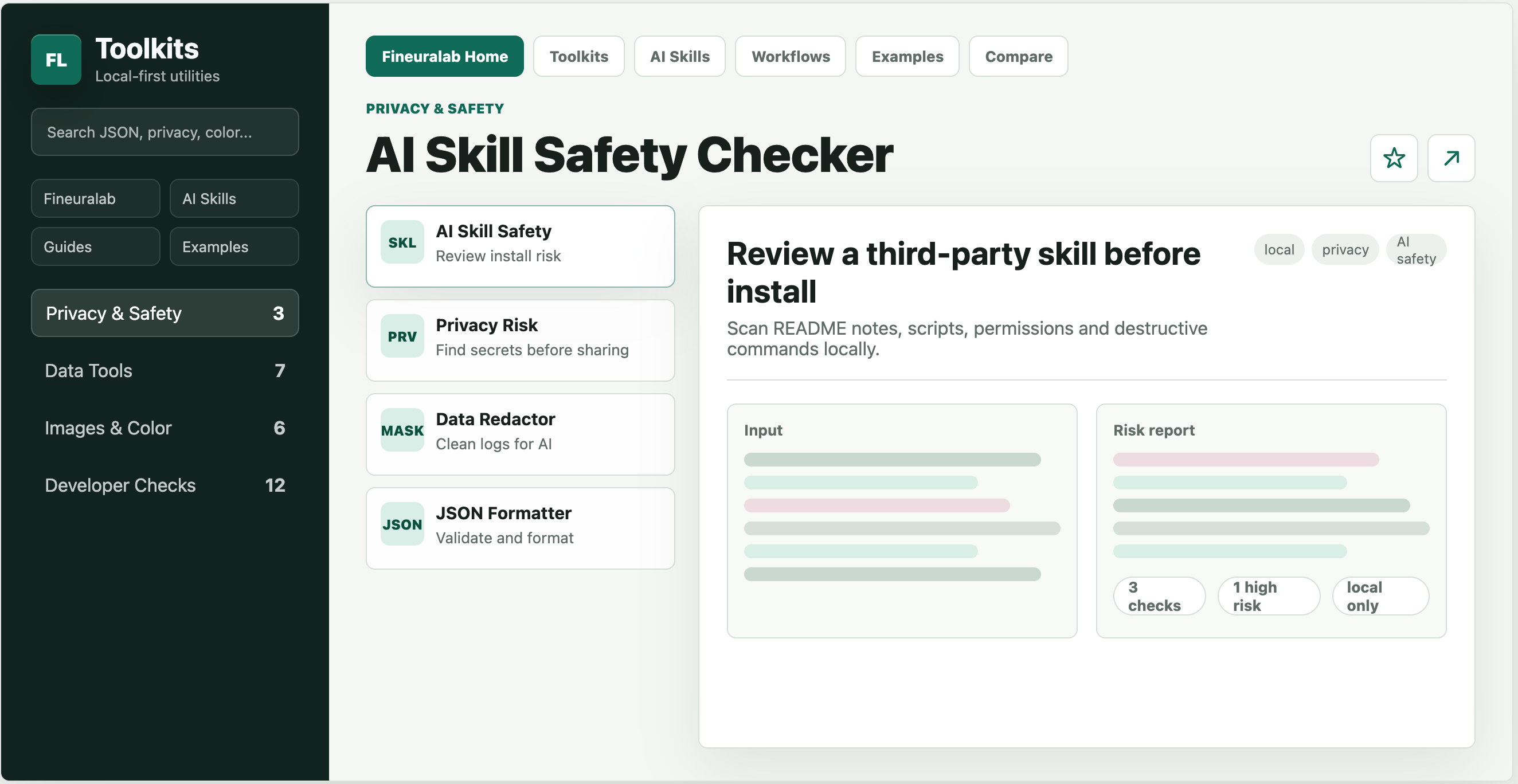
This focused set helps with real sharing decisions: prepare target-specific AI share packs, check issue drafts for secrets, redact logs before sending them, and review third-party Skills before installing them. Checks run locally in the browser.
Open the tools
Popular tools
Start with these tools
Site paths